A cancellation isn't really the problem. The problem is what happens next: the slot sits empty, you don't notice until it's too late to fill it, and a day that was fully booked quietly loses an hour of revenue. Meanwhile, three people who wanted that exact time got told "sorry, we're full" earlier in the week and went elsewhere. The demand existed. The slot existed. They just never met.
The takeaway up front: a waitlist's job isn't to collect names — it's to refill a freed slot faster than you could by hand, and to the right person first. Done manually, that means scrambling to text people the moment someone cancels, which never happens fast enough. Done well, it's automatic: a cancellation triggers an offer to the best-matched waiting customer, on a countdown, and the slot is rebooked before you've even seen the gap. This guide walks through how that system actually works, vendor-neutral, so you can set one up in whatever booking tool you already use. If your cancellations themselves are out of control, fix that first with our appointment-management guide — a waitlist recovers slots, but fewer cancellations is the better starting point.
Why a manual waitlist quietly fails
Most businesses already keep a "waitlist," and it's usually a sticky note or a mental list of regulars to call when something opens up. It feels like a system. It isn't, for three reasons.
It's too slow. A slot opens at 9am for a 2pm appointment. You're with a client and don't see the cancellation until noon. By the time you start texting, you have two hours to fill a slot that needed four. Most freed slots have a short shelf life — the closer to the appointment, the harder to fill — and a human checking between tasks always loses that race.
It's unfair and inconsistent. Calling "whoever I think of first" means the person who asked earliest, or who needs it most, gets skipped because they didn't come to mind. Over time customers notice that the waitlist is really a favoritism list, and they stop trusting it.
It doesn't scale past you. The whole thing lives in your head, so it stops the moment you're busy, off, or away. A real waitlist has to run without you watching it — which is exactly what automation is for.
What a good automated waitlist actually does
Strip it down and an effective waitlist is four moving parts working together.
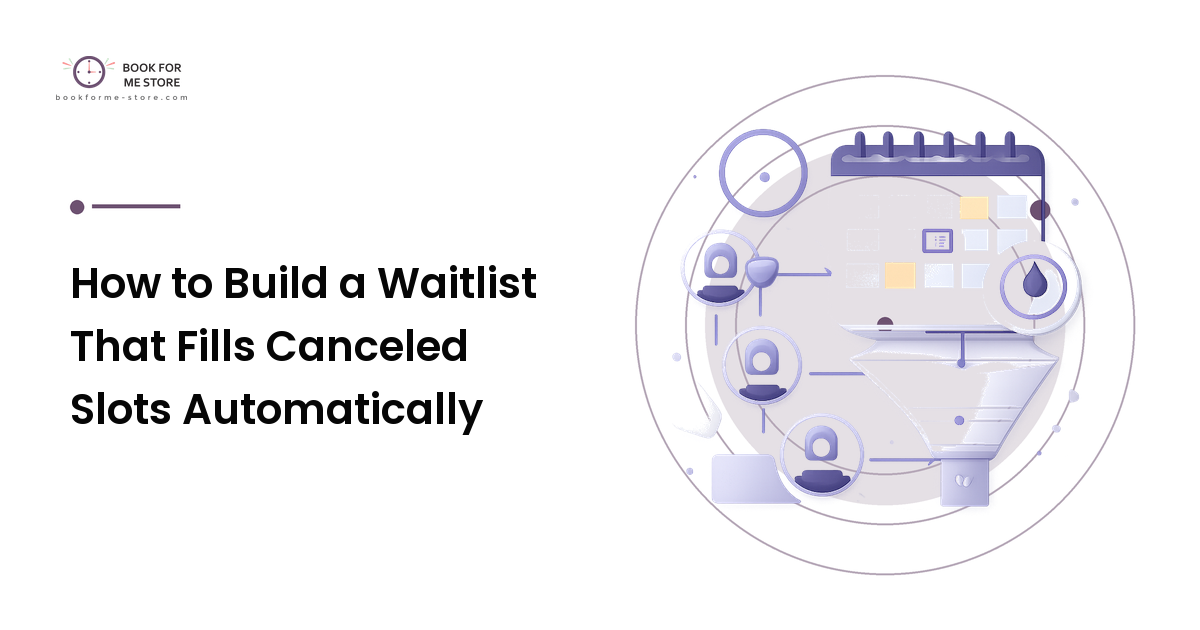
- Capture — when a slot is full, customers can still join a waitlist for it in the same flow, picking the days and times they'd accept. You're collecting intent for specific windows, not just "let me know if anything opens."
- Match — when a slot frees up, the system finds who on the list actually wants that slot (right service, right window) rather than blasting everyone.
- Offer on a timer — it notifies the best match and gives them a claim window (say, 30 minutes) to grab it. No response, it rolls to the next person automatically.
- Confirm and close — the first to claim is booked into the slot, everyone else for that slot is released, and your calendar updates. No double-offers, no manual booking.
The magic is in the third part: the claim timer. It's what turns a waitlist from a list into a machine. You never wait on one person — the offer keeps moving down the list until the slot is taken or the time runs out.
How to set it up, step by step
You don't need custom software. Most modern booking tools have a waitlist feature; the work is configuring it well.
- Turn on waitlist capture for full slots. Enable it specifically on services and times that regularly sell out — there's no point waitlisting a slot that's never full. When a customer hits a booked slot, offer "join the waitlist" instead of a dead end, and ask which windows they'd accept.
- Set the matching rules. Tell the system to only offer a freed slot to people whose stated preferences include it — same service, overlapping time window. Broad blasts annoy people and book the wrong person into the wrong slot.
- Choose a claim window. This is the key dial. Too short and people miss the offer; too long and the slot ages out while one person dithers. Thirty minutes is a sensible default for same-week slots; shorten it for same-day openings where time is tight.
- Decide the offer order. First-come on the list is the fair, defensible default — and "fairness" is the reason to prefer it, because customers trust a queue they can see working. If you genuinely need to prioritize (a high-value service, a loyal client), state that rule to yourself and apply it consistently, never ad hoc.
- Make the claim one tap. The offer message should let someone confirm with a single tap or reply. Every extra step is a person who meant to claim it and didn't get around to it before the timer ran out.
That's the whole build. Capture intent, match it, offer on a timer, confirm in one tap.
A worked example
A small physiotherapy clinic runs popular 5pm slots that book out a week ahead, and it loses two of them most weeks to last-minute cancellations — two empty hours, unbillable, after turning people away earlier.
They switch on a waitlist for the 5pm service only. Over a couple of weeks, eight people who couldn't get a 5pm slot join the list, each marking the days they'd take. On Tuesday a 5pm cancels at 1pm. The system instantly offers it to the first matching person with a 30-minute claim window; they don't respond, so at 1:30 it rolls to the next match, who claims it in one tap. The slot — which under the old sticky-note system would have sat empty until 5pm — is rebooked by 1:35, with zero clinic effort.
Notice what did the work: not hustle, but speed and order. The clinic stopped losing slots because the offer moved faster than any human could, and it went to a real, waiting customer first. The two recovered hours a week pay for themselves many times over.
Mistakes that make a waitlist backfire
- Blasting the whole list at once. "Slot open, first to reply gets it" sent to twenty people creates a stressful scramble, books whoever happened to be on their phone, and disappoints nineteen. Offer to one match at a time on a timer instead.
- No claim window. If an offer has no expiry, it waits indefinitely on one person while the slot ages out. The timer is the part that makes it work — don't skip it.
- Waitlisting slots that never fill. Collecting waitlist entries for times that are rarely full just trains customers that the list does nothing. Enable it only where demand actually exceeds supply.
- Capturing names without windows. "Tell me if anything opens" isn't matchable. Always ask which days and times someone would accept, or you're back to guessing.
- A clunky claim step. If claiming means logging in or calling back, the timer expires on people who genuinely wanted the slot. One-tap claim, or the speed advantage evaporates.
People reach for the "blast everyone" approach because it feels fast. It isn't — it's loud. Targeted offers on a timer fill the slot faster and keep the customer experience calm.
FAQ
What's the difference between a waitlist and a cancellation list?
In practice, very little — both aim to refill freed slots. The distinction that matters is automation. A passive "cancellation list" of names you call by hand loses the speed race; an active waitlist that auto-offers freed slots on a timer actually refills them. Aim for the second regardless of what your tool calls it.
How long should the claim window be?
Long enough that a reachable person can respond, short enough that the slot doesn't age out. Around 30 minutes works for slots a few days out; tighten it to 10–15 minutes for same-day openings where every minute counts. Watch your claim rate and adjust — if people routinely miss offers, lengthen it slightly.
Won't customers be annoyed by waitlist offers?
Not if the offers are relevant and easy to decline. The annoyance comes from blasting everyone or offering slots people never asked for. Offer only matching windows, one person at a time, with a one-tap "no thanks," and a waitlist feels like a service, not spam.
Do I need special software for this?
No — most established booking tools include a waitlist feature, and the value is in configuring it (matching rules, claim timer, one-tap claim) rather than buying something new. If you're choosing a tool, favor one where waitlist automation is built in rather than a manual add-on.
Should I still take a deposit if a slot is filled from the waitlist?
Treat a waitlist booking like any other booking. If you take deposits on that service normally, keep doing so — the claim step can collect it. The waitlist changes who fills the slot and how fast, not your payment or cancellation rules.
Next step
Pick your single busiest, most-cancelled service and turn on a waitlist just for it. Ask waiters which windows they'd accept, set a 30-minute claim timer, and make the claim one tap. Then leave it alone and watch your next cancellation: instead of an empty hour you discover at the wrong moment, you'll see a slot that quietly refilled itself. Once it earns its keep on one service, roll it out to the rest.